When you moved into TradeSpace, you likely focused on the physical benefits: the racking height, the loading dock, and the square footage. You view your Unit Number primarily as a place to get mail.
But if that is the only way you are using it, you are leaving money on the table.
In the eyes of Google and your potential customers, a commercial address is a powerful marketing asset. It is the difference between looking like a hobbyist in a garage and a professional operation with a headquarters.
Transitioning your digital presence from Home/Service Area to a Verified Commercial Entity unlocks two immediate wins for your business: it pushes your brand up in local search rankings, and it drives your operational costs down.
The Hidden Address Penalty vs. The Pin Advantage
If you are still running your Google Business Profile (formerly GMB) using your home address, you are likely operating with a handicap.
The Residential Trap
Google has strict privacy guidelines for home-based businesses. If you register using your house, you are forced to operate as a Service Area Business and hide your physical location to protect your privacy. This creates a Hidden Address penalty: without a public address, you don't get a pin on the map. This makes you invisible to the high-intent customers searching for products "near me."
How TradeSpace Fixes This
By updating your profile to your TradeSpace address (e.g., 4030 8th St SE), you signal to search engines that you are a verified commercial entity.
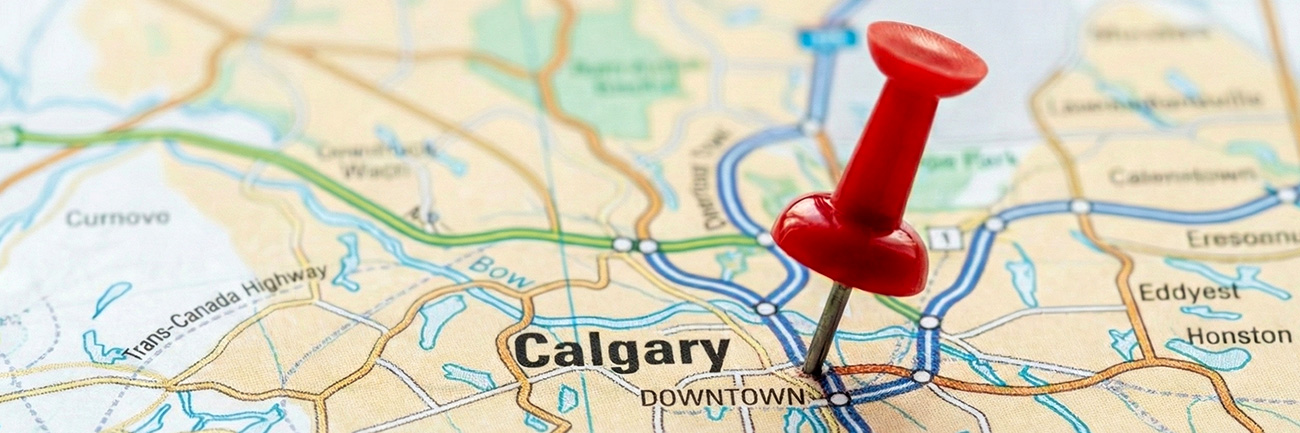
This allows you to claim a pin on the map. When a local customer searches for your product category, Google has higher confidence that your business exists at a specific spot, making it far more likely to place you in the Local Pack (the top 3 map results) over a competitor hiding in their garage.
Critical Compliance Note: Since TradeSpace is a shared warehouse, Google requires specificity to avoid flagging your business as a duplicate of your neighbor.
- List Your Unit Number: Never just list the building address. You must list Unit 104 or Unit 205 to establish a unique location.
- Signage Matters: To fully comply with Google’s guidelines, ensure you have distinct signage at your specific unit or on the directory. This validates that you are a distinct business operating within the hub
The Street View Trust Test
Your address is often the very first background check a new customer performs before hitting the buy button.
The Scenario
Imagine a potential B2B buyer is looking to stock your product, or a high-value customer is about to place a large order. They don't know you yet, so they do what everyone does: they Google your address.
The Contrast
What they see on Google Street View tells a story about your business capacity.
- Scenario A (Residential): They see a suburban bungalow with a minivan in the driveway and a basketball hoop.
- The Perception: "This is a side hustle. Do they actually have stock? Will it take a week to ship? What if I need to return it?"
- Scenario B (Commercial): They see the TradeSpace location near the Airport. They see loading docks, commercial signage, and infrastructure.
- The Perception: "This is an established operation. They have a warehouse. They can handle my volume."
The Privacy Bonus
Beyond credibility, there is a massive boundary benefit. Using your TradeSpace address keeps your business separate from your personal life. It ensures that angry customer returns, and the customers themselves, end up at your warehouse, not at your family dinner table.
The Logistics of "Near Me": Speed and Margins
Moving your "Ship From" address to TradeSpace doesn't just look better; it actively protects your profit margins.
The Surcharge Savings
Carriers like FedEx, UPS, and Purolator classify addresses as either Commercial or Residential. Delivering to or picking up from a home address is inefficient for drivers, so they often tack on a Residential Surcharge (typically $4.00–$5.50 per package). By designating your TradeSpace unit as your shipping origin, you operate within a commercial zone. This eliminates those surcharges instantly, putting that $4.00 profit straight back into your pocket on every single shipment.
The "Never Missed" Delivery
At home, a missed supplier delivery means a "Sorry we missed you" sticky note and a 24-hour delay in getting your inventory. At TradeSpace, the Receiving Service acts as your safety net. Our staff is here to sign for your pallets and packages even when you aren't in the building. Your inventory is received instantly, meaning you can get it on the shelf and sold faster.
The Infrastructure Advantage
Because our locations are strategically positioned near major logistics hubs like YYC and Blackfoot Trail, you often benefit from later carrier cutoff times. While a residential driver might finish their route at 3:00 PM, commercial routes near the airport run later. This gives you extra hours to pack those last-minute orders and still get them out the door same-day.
Quick Comparison: Home vs. TradeSpace
Sometimes the easiest way to see the value is to look at the numbers side-by-side. Here is how your digital presence changes when you switch your address.
Final Thought: Put Yourself on the Map
Running your business from a commercial hub makes you efficient, but using the address makes you visible.
You are already paying for the space, don't let its digital value go to waste. By claiming your location, you aren't just getting a mailbox; you are upgrading your brand's reputation and search ranking in one move.
Ready to upgrade your profile?
Here is your 5-minute checklist to execute today:
- Google Business Profile: Update your location to your specific TradeSpace Unit Number.
- Shipping Software: Update your "Ship From" address in Shopify or ShipStation to remove residential triggers.
- Website Footer: Add your new commercial address to the bottom of your site to show customers you are a Calgary-based commercial entity.
Need help verifying your location?
If you aren't sure of your exact Unit Number or how to format it correctly for Google verification, don't guess. Chat with your Community Manager today or send us a message. We will make sure you have the exact details you need to get your pin on the map.
Frequently Asked Questions

No. You are updating your existing profile, not creating a new one. All your hard-earned 5-star reviews will transfer with you. In fact, adding a verified location often helps your profile rank higher, increasing the visibility of those reviews.
Google often mails a physical postcard with a unique code to verify your location. Since we handle mail reception at the front desk, we will receive this card and place it in your mailbox or notify you immediately. You don't need to worry about missing the mailman.
No. You should only list the hours you (or your team) are actually onsite and available to customers. If you are only at the warehouse on Tuesdays and Thursdays, list those as your open hours. Accuracy is key to keeping Google happy (and keeping customers from showing up when you aren't there).
If you want the SEO benefits of the map pin but prefer to control foot traffic, you can mark your business as "Appointment Only" on your Google Business Profile. This gives you the credibility of the commercial location while setting boundaries for when visitors can stop by.
Yes. Google’s guidelines for shared spaces are strict. To prove you are a distinct business and not just a "virtual" ghost, you should have signage at your unit or on the directory. Even a branded magnet or professional decal on your door helps legitimize your presence if Google ever asks for video verification.